HTTP Insights
@inversifyjs/http-insights records HTTP calls handled by an InversifyJS HTTP adapter and serves a local UI for inspecting them. Each record keeps the method, URL, headers, status code, duration, and the stages that ran: native middleware, framework middleware, guards, pipes, the controller, interceptors, and error filters. When a stage throws, the UI shows the error and the source around the throw, following source maps when the runtime file has one.
Installation
Install the package next to inversify and an HTTP adapter. The commands below use Express. Fastify, Hono, and uWebSockets.js take the same instrumentation option on their adapters.
- npm
- pnpm
- yarn
npm install @inversifyjs/http-insights inversify @inversifyjs/http-core @inversifyjs/http-express express
pnpm install @inversifyjs/http-insights inversify @inversifyjs/http-core @inversifyjs/http-express express
yarn add @inversifyjs/http-insights inversify @inversifyjs/http-core @inversifyjs/http-express express
@inversifyjs/http-insights depends on better-sqlite3, a native addon. Allow its install scripts with your package manager. Applications created with @inversifyjs/create-http already allow that script.
Register insights
Create an HttpInsightsProvider, call provide(container), then pass getEventSink() to the adapter. provide() binds the insights UI and its API on the same server, so call it before adapter.build(). getEventSink() is available after provide() returns.
import { Controller, Get } from '@inversifyjs/http-core';
import { InversifyExpressHttpAdapter } from '@inversifyjs/http-express';
import { HttpInsightsProvider } from '@inversifyjs/http-insights';
import type express from 'express';
import { Container } from 'inversify';

@Controller('/ping')
export class PingController {
  @Get()
  public get(): string {
    return 'pong';
  }
}

export async function bootstrap(): Promise<express.Application> {
  const container: Container = new Container();

  container.bind(PingController).toSelf().inSingletonScope();

  const insightsProvider: HttpInsightsProvider = new HttpInsightsProvider();

  await insightsProvider.provide(container);

  const adapter: InversifyExpressHttpAdapter = new InversifyExpressHttpAdapter(
    container,
    {
      instrumentation: [insightsProvider.getEventSink()],
    },
  );

  return adapter.build();
}
Listen on the application bootstrap() returns, then open the UI:
import type express from 'express';

const application: express.Application = await bootstrap();

application.listen(3000);
The UI is at http://localhost:3000/.inversify/http-insights-ui.
instrumentation accepts a list of sinks. The insights sink can sit next to another one, such as the OpenTelemetry sink.
Scaffolded applications
@inversifyjs/create-http already depends on @inversifyjs/http-insights. Set DEV_PROFILER_ENABLED=true to load it. The generated .env includes that line. An unset variable is treated as false, and bootstrap does not import the package.
With the flag enabled, bootstrap calls HttpInsightsProvider.provide(container) and passes instrumentation: [insightsProvider.getEventSink()] to the adapter. The UI is at /.inversify/http-insights-ui on that server.
The UI
The UI has a list of calls and a page for one call. The header includes a theme switch. The UI follows the operating system color scheme until a theme is chosen, and that choice is kept in the browser.
Calls
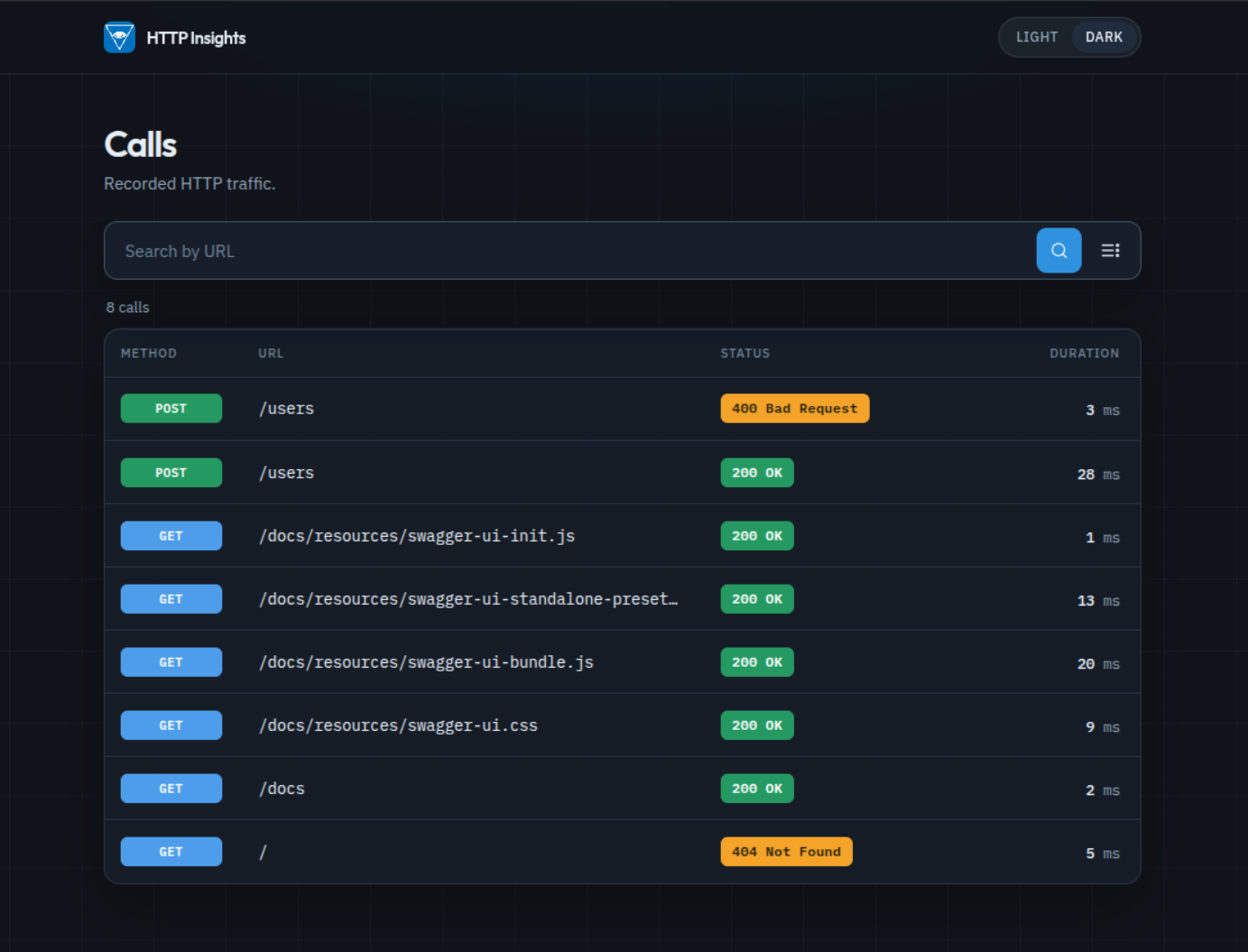
Each row shows the method, URL, status code, and duration. The search field keeps calls whose URL contains the text. Press / to focus it. Filters select one request method and one response status code. Further calls load as you scroll.
Call detail
A call is split into these sections:
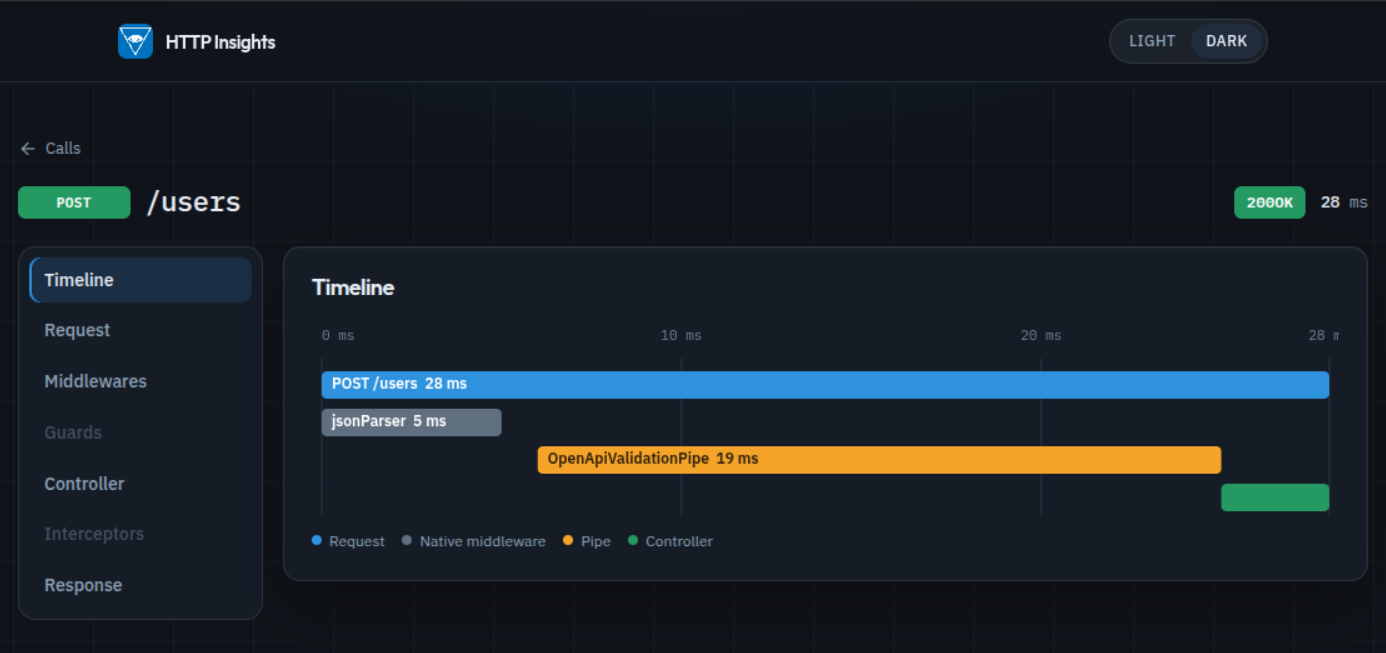
- Timeline. A waterfall of the request and each stage. Choosing a lane opens that stage.
- Request. Method, URL, start time, and headers.
- Middlewares. Framework middleware, marked pre-handler or post-handler, and native adapter middleware such as the JSON parser.
- Guards. Each guard, marked allowed or denied.
- Controller. The controller method, plus any pipes with the handler method name and parameter index.
- Interceptors. Each interceptor that ran.
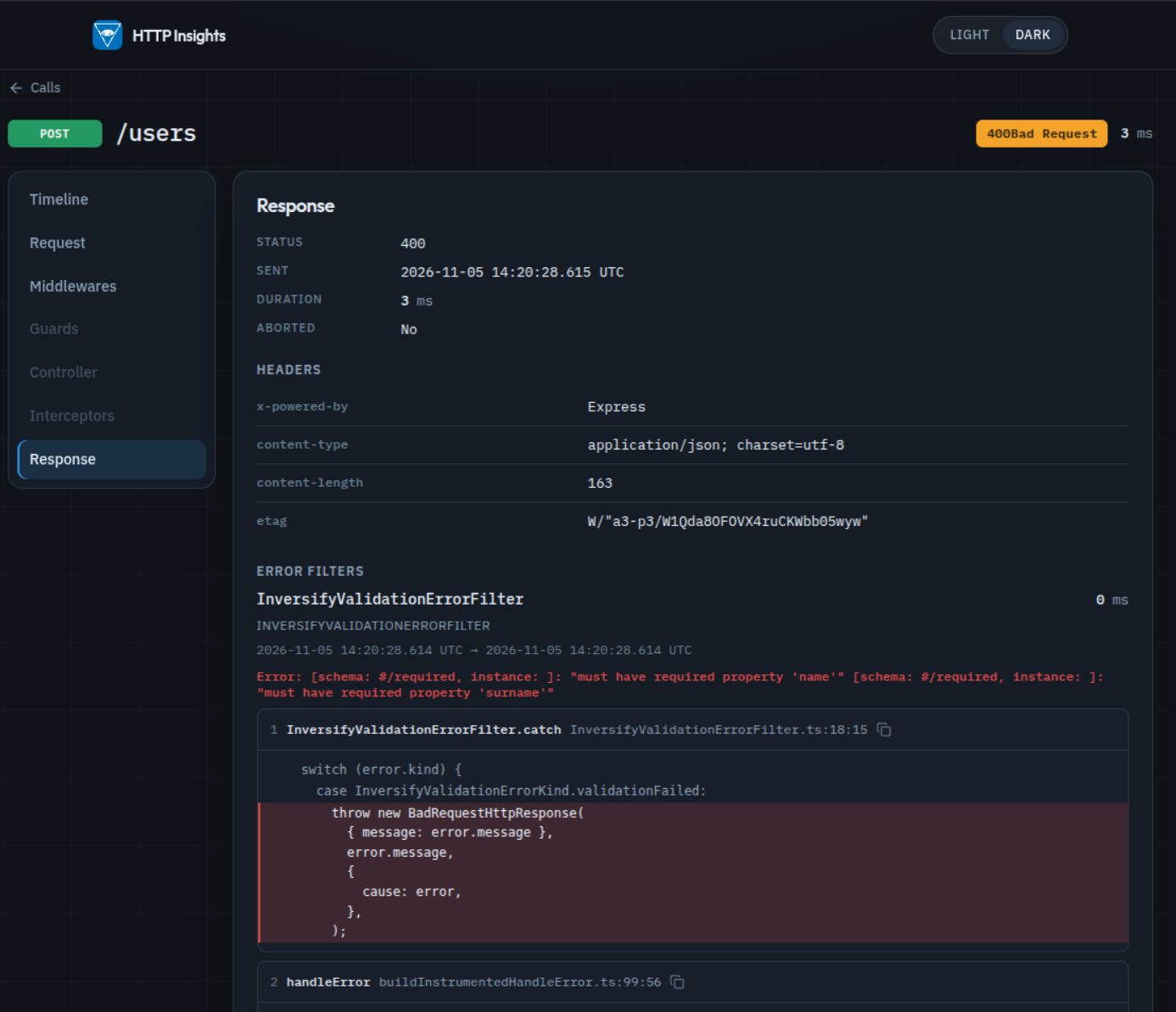
- Response. Status code, send time, duration, whether the response was aborted, headers, and error filters.
Request, response, and timeline are available for every recorded call. The other sections stay disabled until that call has something to show.
Error traces
A stage that throws shows the error message and a source trace: function, file, line, column, and the statement that threw, with the surrounding statements. When a source map is available, the trace follows it back to the original file.
Which calls are stored
The default pattern stores every call except a URL whose path is /.inversify or a path under it. That leaves the insights UI and its API out of the list. /.inversifyfoo is still stored, and so is /api/.inversify.
Pass url.pattern to store a different set. The pattern is tested against the request URL. A g or y flag is dropped so each URL is matched from the start.
import { HttpInsightsProvider } from '@inversifyjs/http-insights';

const insightsProvider: HttpInsightsProvider = new HttpInsightsProvider({
  url: {
    pattern: /^\/api(?:\/|$|\?)/u,
  },
});
The pattern above stores /api, /api?..., and any path under /api/.
Storage
Calls are written to SQLite at ./.inversify/insights.db, relative to the process working directory. provide() deletes that file and creates it again, so each process start begins empty. Calls recorded while the process is running stay until the next start.
These header values are replaced with [redacted] before they are stored: Authorization, Cookie, Proxy-Authorization, Set-Cookie, X-Api-Key, and X-Auth-Token. The UI is served by your application and has no separate login. Run it on a machine you trust.